

Journal Website Builder: How to Create a Professional Academic Journal Site
Looking for a journal website builder? Learn what to look for, key features, and how ScholarJMS helps publishers build a professional academic journal site.
Journal Website Builder: How to Create a Professional Academic Journal Site Publishers looking for a journal website builder are usually past the...
Journal Website Builder: How to Create a Professional Academic Journal Site
Publishers looking for a journal website builder are usually past the conceptual stage - they've defined their journal's scope, assembled an editorial board, and now need somewhere for authors to find the journal, read its policies, and submit manuscripts. The problem is that a journal website isn't a typical website. It needs to support ongoing manuscript workflows, structured archives, and metadata requirements that general-purpose website builders were never designed to handle.
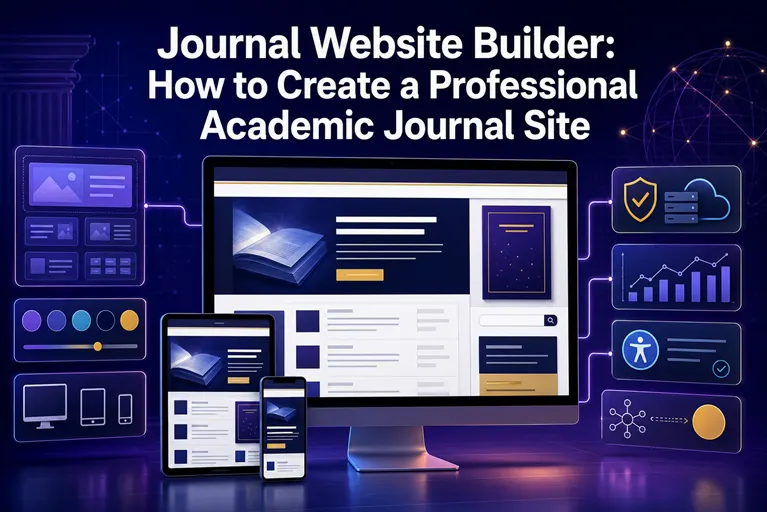
This creates a real decision point for publishers: build something custom, adapt general web-building tools, use open-source journal software, or work with a platform purpose-built for academic publishing. Each path has different trade-offs in terms of cost, technical maintenance, and how well the result actually supports the day-to-day work of running a journal.
This article walks through what a journal website actually needs to function well, what to look for in a journal website builder, and where a platform like ScholarJMS fits into that decision - without pretending there's a single universally correct answer for every publisher.
What Is a Journal Website Builder?
A journal website builder is a tool or platform specifically designed to help publishers, universities, institutions, and editorial teams create a website tailored to academic journal publishing - one that supports not just informational content, but the operational structure a journal needs: submission access, editorial board listings, issue archives, and policy pages, often alongside manuscript workflow tools.
This distinguishes a journal website builder from a general-purpose website builder (the kind used for business sites, portfolios, or blogs). General website builders are optimized for flexible page layouts and content marketing, not for structured academic content like article metadata, DOI display, volume/issue organization, or peer-review status tracking.
Why Academic Journals Need Purpose-Built Website Solutions
A journal website carries responsibilities that a typical website doesn't. It needs to present the journal's aims and scope clearly enough for authors to judge fit before submitting. It needs to list the editorial board with enough detail to establish credibility. It needs to host author and reviewer guidelines, publication ethics policies, and copyright terms - all content that authors are expected to reference before and during submission.
Beyond static content, the site typically needs to connect to or include a submission system, display structured metadata for every published article (authors, abstract, keywords, DOI), and maintain an organized, searchable archive that grows correctly issue after issue. General website builders can approximate some of this with enough manual effort, but the structure tends to break down as the number of published articles grows, since these tools weren't built around journal-specific content types like volumes, issues, and article records.
Key Features to Look for in a Journal Website Builder
When evaluating options, it helps to assess a journal website builder against the specific needs of academic publishing rather than general web design features.
Structured content types matter most - the platform should understand journals, issues, and articles as distinct content types with appropriate metadata fields, rather than treating every page as generic content. Author and reviewer guideline pages should be easy to create and update as policies evolve. Editorial board management should allow you to list members with roles and affiliations without manually formatting a page each time someone joins or leaves.
Submission and manuscript workflow support is a major differentiator - some journal website builders are purely presentational, while others integrate directly with submission and peer-review tools, removing the need for a separate system entirely. Metadata and DOI display should be built in, so each article page shows citation-ready information automatically rather than requiring manual formatting per article. Archive and issue organization should scale cleanly as your journal publishes more issues over time, and basic technical SEO support - clean URLs, structured metadata markup, mobile-responsive design - helps published articles remain discoverable through search engines.
Step-by-Step: Building a Journal Website
Step 1: Define the Journal's Core Content Structure
Before selecting or configuring a builder, map out what your journal actually needs to present: aims and scope, editorial board, author and reviewer guidelines, publication ethics, submission access, current issue, archives, and contact information. This list becomes your website's essential page structure regardless of which tool you use.
Step 2: Choose the Right Building Approach
Decide between a fully custom build, general-purpose website tools adapted for journal use, open-source journal software (such as OJS), or a managed academic publishing platform. This decision should be based on your technical resources, budget, and whether you need integrated manuscript workflow tools or just a presentational site.
Step 3: Set Up Core Pages and Policies
Populate the essential pages identified in Step 1, making sure policy content (ethics, peer review, copyright) is complete and clearly written before the site goes live, since authors will reference these directly when deciding whether to submit.
Step 4: Configure Issue and Article Structure
Set up how your site will organize content into volumes and issues, and how individual article pages will display metadata, abstracts, and DOI information. Getting this structure right early avoids reorganizing content later as your archive grows.
Step 5: Connect or Integrate Submission Functionality
Decide whether your website builder includes submission handling directly, or whether you'll need a separate manuscript management system linked from the site. An integrated approach reduces the number of separate tools your editorial team has to manage.
Step 6: Test the Full Author and Reader Journey
Before launch, walk through the site as a prospective author (finding guidelines, understanding scope, accessing submission) and as a reader (finding the current issue, browsing archives, viewing article metadata). This surfaces navigation or content gaps that are easy to miss when building the site from the editorial team's own perspective.
Building a Journal Website vs. Traditional/Manual Approaches
| Approach | Strengths | Limitations |
|---|---|---|
| Custom-built website | Full design and functional flexibility | Requires ongoing technical development and maintenance |
| General website builder (adapted) | Fast to start, familiar tools | Not built for journal-specific content types; manual metadata handling |
| Self-hosted open-source software (e.g., OJS) | Purpose-built for journals, free to start | Requires hosting, server maintenance, and technical configuration |
| Managed academic publishing platform | Purpose-built structure with reduced maintenance | Less low-level customization than a fully custom build |
There's no universally "best" option here - a small society journal with limited technical staff has very different needs than a large institutional publisher managing multiple titles. What matters is matching the approach to your actual editorial team's technical capacity and long-term maintenance appetite.
Common Mistakes When Building a Journal Website
Publishers often underestimate how much content a journal website actually needs before launch, resulting in thin About or policy pages that leave authors uncertain about scope or standards. Another common mistake is choosing a general-purpose website builder without checking whether it can handle structured article metadata, only discovering the gap once dozens of articles need to be manually reformatted.
Some journals build a website without connecting it meaningfully to a submission or review system, leaving authors to email manuscripts directly - a process that becomes unmanageable as submission volume grows. Others neglect basic technical SEO from the start, using inconsistent URL structures or missing metadata markup, which limits how easily published articles are found through search engines and citation tools. Finally, some sites are built once and rarely maintained afterward, leaving outdated editorial board listings or broken links that undermine the credibility the rest of the site is trying to establish.
SEO Considerations for Academic Journal Websites
A journal website benefits from many of the same SEO fundamentals as any content site, applied to a scholarly context. Article pages should use descriptive, search-friendly URLs rather than opaque identifiers, and should include structured metadata so search engines can correctly interpret authorship, publication date, and abstract content. DOI links should be prominent and functional on every article page, supporting both discoverability and citation accuracy.
Beyond individual articles, the overall site should be mobile-responsive and reasonably fast-loading, since both factors affect general search visibility as well as reader experience. A journal website builder purpose-built for academic publishing typically handles much of this structure by default, reducing the amount of manual SEO configuration a smaller editorial team needs to manage independently.
How ScholarJMS Helps Publishers Build a Journal Website
ScholarJMS is a journal management and publishing platform built to support the structural and operational needs described throughout this article. Rather than adapting a general-purpose website builder to journal-specific requirements, ScholarJMS provides a structure designed around how academic journals actually work.
For publishers building or rebuilding a journal website, ScholarJMS supports core journal pages - aims and scope, editorial board, author and reviewer guidelines, and publication ethics - alongside manuscript submission handling, editorial workflow coordination, and peer-review management within the same system. It supports article and issue management, so published content is organized into volumes and issues with consistent metadata, and it supports DOI and metadata workflows to help keep citation information accurate as your archive grows. For institutions or societies managing more than one title, it also supports multiple journal management from a single platform.
Positioned this way, ScholarJMS functions less as a generic website builder and more as publishing infrastructure - the website is one part of a broader system that also handles the submission and editorial work happening behind it. Learn more at ScholarJMS.
Practical Recommendations
Before committing to a journal website builder, list your journal's actual content and workflow requirements first - scope pages, editorial board, submission handling, metadata needs - and evaluate tools against that list rather than starting from a tool's feature list. If your journal expects meaningful submission volume, prioritize integrated manuscript workflow support over purely presentational design options. And regardless of which approach you choose, plan for ongoing maintenance from the outset - a journal website is a living system that needs regular updates to editorial board listings, policies, and published content, not a one-time build.
Future Considerations
As journal publishing continues to shift toward structured, machine-readable content - driven by metadata standards used by services like Crossref, ORCID, and OpenAlex - journal websites increasingly need to support these standards natively rather than as an afterthought. Publishers evaluating a journal website builder today should consider not just current needs, but whether the platform can adapt as metadata and interoperability expectations continue to evolve across the scholarly publishing ecosystem.
10. FAQs
Frequently Asked Questions
What is a journal website builder?
A journal website builder is a platform or tool specifically designed to help publishers create a website for an academic journal, supporting journal-specific content types like editorial board listings, issue archives, and article metadata, often alongside manuscript submission and peer-review functionality.
How is a journal website builder different from a general website builder?
A general website builder is designed for flexible, generic page layouts, while a journal website builder is structured around journal-specific needs - volumes, issues, article metadata, DOI display, and often integrated manuscript workflow tools.
Do I need a separate submission system, or can my journal website builder include one?
This depends on the platform. Some journal website builders are purely presentational and require a separate submission system, while others, including ScholarJMS, integrate website presentation with manuscript submission and editorial workflow in one system.
What pages does an academic journal website need?
At minimum, a journal website should include About, Aims and Scope, Editorial Board, Author and Reviewer Guidelines, Publication Ethics, Submission access, Current Issue, Archives, and Contact information.
Can I build a journal website using WordPress or a general website builder?
It's possible, but general-purpose builders typically require significant manual effort to handle structured article metadata, issue organization, and submission workflows, since they weren't designed around journal-specific content types.
How does a journal website affect discoverability and SEO?
Clean URLs, structured article metadata, DOI links, and mobile-responsive design all support discoverability, helping published articles be found more easily through search engines and citation tools.
Is ScholarJMS a good option for building a journal website?
ScholarJMS provides a structure built specifically for academic journals, combining website presentation with manuscript submission, editorial workflow, and metadata management, which can reduce the technical burden compared to adapting general-purpose tools.
How much does it cost to build a journal website?
Costs vary based on whether you build custom, use open-source software, or choose a managed platform, along with factors like hosting, design, and ongoing maintenance - there's no fixed cost that applies to every journal.
11. ScholarJMS CTA Block
Need Help With Your Academic Journal?
If you're evaluating a journal website builder or planning to build a professional website for your academic journal, ScholarJMS can help you set up a structure designed specifically for scholarly publishing - covering editorial content, submission handling, and metadata management in one place. For publishers who also need support with Crossref DOI registration, our consulting team can guide you through that process directly.
Mr. Darshan Patel (ME-CE) COO & Journal Publishing Technology Consultant Sequence Research & Development Pvt. Ltd. Ahmedabad | Gujarat | India
Email: inquiry@ojscloud.com WhatsApp: +91 82003 85143
Discuss Your Journal Publishing Requirements